 AppCub
Make your own app for your coaching institute
Students, batches, attendance and fees in one Android app with your institute’s name on it. Describe it in a chat, in English or Hinglish, and AppCub builds it. No coding needed.
Describe your app and see the plan for free. Build it with a 2-day trial for ₹99.
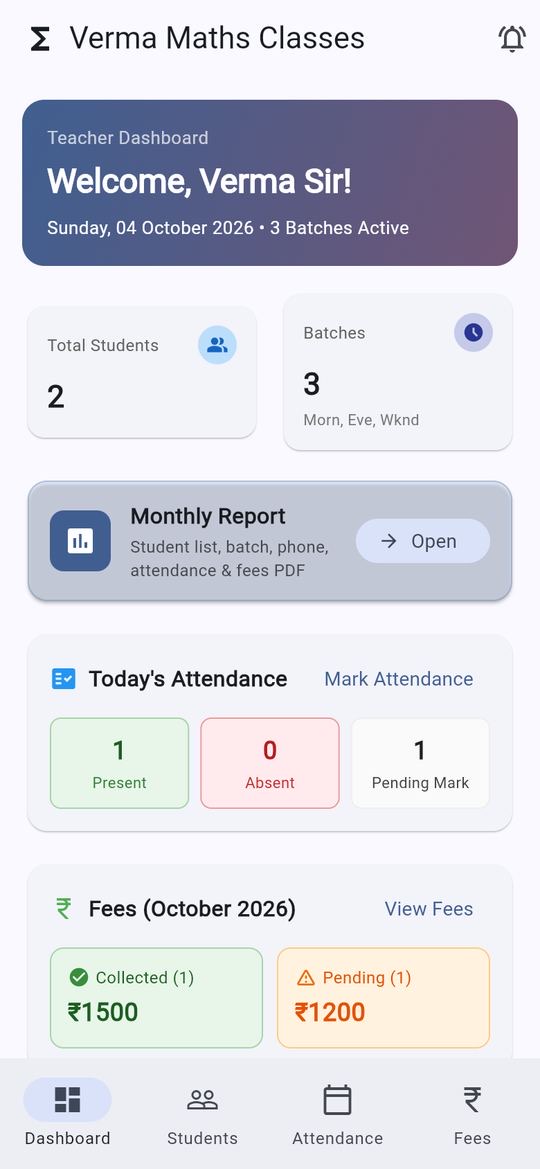
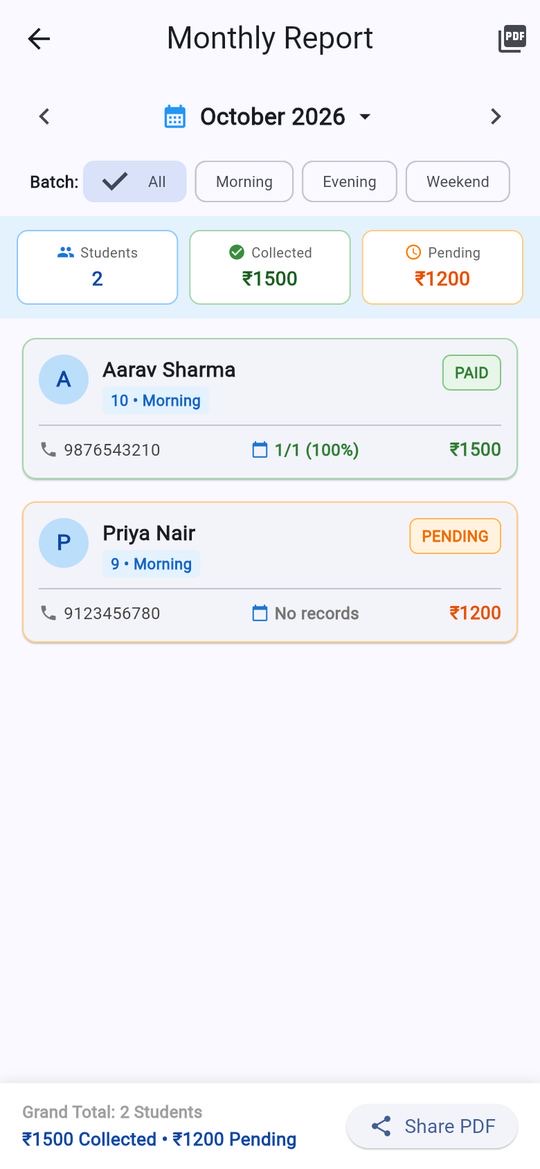
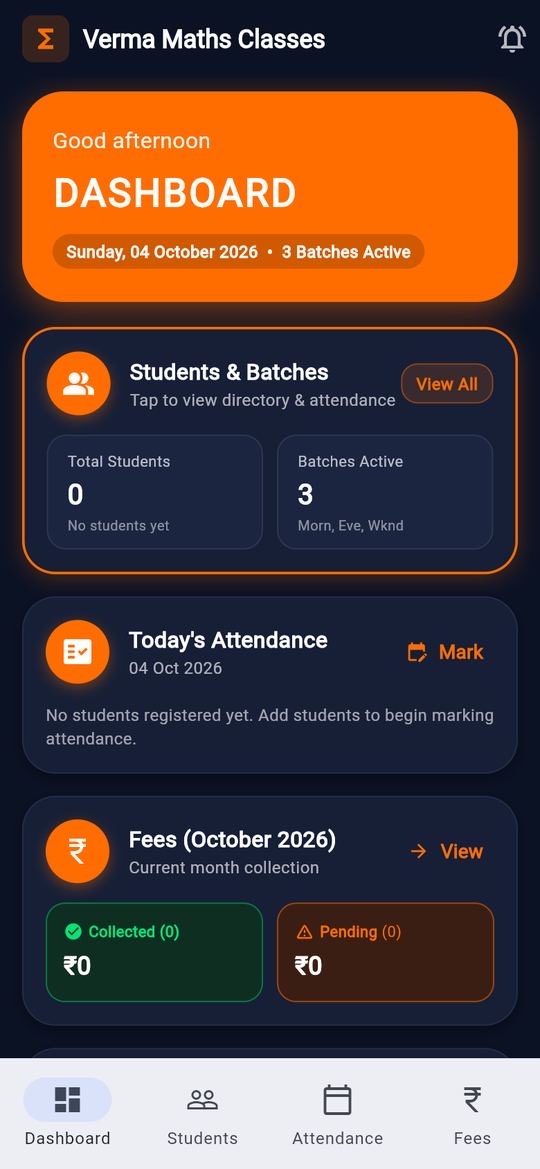
These are screens of a real app AppCub built in a test on 4 October 2026, from a few lines of description. The names and numbers are sample data.
What your app can do
Ask for what your institute needs. These are the things coaching apps usually start with:
Students and batches
Add each student with class, batch, phone number and monthly fee. Morning, evening and weekend batches, or whatever you run.
Attendance in a few taps
Mark the whole batch present, then tap the few who are absent. See each student’s attendance for the month.
Fees and pending dues
See who has paid and who hasn’t, and how much is still pending this month, batch by batch.
Monthly report as a PDF
One tap makes a report of students, attendance and fees that you can share on WhatsApp or print.
Your name, your colours
Your institute’s name and logo on the app. Attach a picture of a design you like and AppCub follows it.
More when you need it
Test marks, notices, a timetable, an enquiry form for new admissions. Ask in the chat whenever you want to add something.
What to write
Copy this, change the details to match your institute, and paste it into AppCub:
Make an app for my coaching institute, Verma Maths Classes. I teach classes 9 and 10 in three batches: morning, evening and weekend. I want to add students with their class, batch, phone number and monthly fee, mark attendance every day, see who has paid this month’s fee and how much is pending, and make a monthly report I can share as a PDF on WhatsApp. Keep it simple, with large buttons. Start with no students.
Paste and send
AppCub asks if something important is unclear.
Approve the plan
Check the screens and features. Change them for free until they are right.
Try it
The app runs live next to the chat. Scan a QR code to install it on your phone.
Ask for changes
Say what to change, or click the part of the app you want changed.
What it costs
- A coaching app like the one above usually takes 60 to 110 credits to build. Describing it and seeing AppCub’s plan is free; building it starts with a 2-day trial for ₹99 (150 credits, enough for the app and a few changes).
- To publish on Google Play you need a paid plan, which includes the Play Store bundle and your app’s signing key. Starter is ₹1,599 a month for 700 credits.
- Work that fails or is rolled back costs nothing, and every change comes with one free fix.
Good to know
- AppCub builds Android apps and can put your app online as a web link. For the iPhone App Store, our team can do it for you.
- By default the app keeps its data on the phone it runs on. If staff or parents should see the same data on their own phones, ask AppCub to connect a Supabase database (it has a free plan) from the chat.
- To put the app on Google Play you need your own Google Play developer account, which costs a one-time US$25 fee to Google.
Questions
Can parents and students use the app too?
Yes, if you connect an online database. Ask AppCub for a parent or student login, and it sets up sign-in and keeps the data in your own Supabase project, so each person sees what you allow. Without a database, the app is for you on your own phone.
Can I write to AppCub in Hindi or Hinglish?
Yes. Write the way you normally do, for example “har batch ki fees alag dikhao”. You can also ask for the app’s own buttons and labels in Hindi.
Does the app work without internet?
An app that keeps its data on the phone works offline. An app connected to an online database needs internet to sync, which you can mention when you describe it.
Can my students collect fees online through the app?
You can ask for a payment button that uses your own Razorpay account. Connect Razorpay and a Supabase database from the Connectors page first; payments go to your Razorpay account, not through AppCub.
Will the app have my institute’s name on Google Play?
Yes. The app has your name, icon and description, and it is published from your own developer account. If you don’t know how to publish it, our team can do the Google Play steps for you.
What if I want to change something later?
Open the app in AppCub and say what should change, or click the part of the app you want changed. You can always go back to an earlier version.
Apps for other businesses
Start with your own institute
See the plan for free, then build it with a 2-day trial for ₹99.
Build your coaching app