 AppCub
How to make an app for a grocery store
With a grocery app, customers search for what they need, tick quantities and send a clean order to your WhatsApp instead of a blurry photo of a list. They can save their monthly ration list and send it again next month with a tap, and you change prices from your own phone.
Updated 2026-11-09
Who uses the app
Customers order from their own phones and you or a staff member update prices and stock. Because everyone must see the same items and prices, the catalogue lives in your own Supabase database.
The screens a grocery store app needs
- Shop: Sections such as atta and rice, dal, oil, spices, snacks and cleaning, with search across all items
- Item: Pack sizes or loose weight options with prices; pick a quantity and add to the cart
- Cart: The items, quantities and total, a delivery slot, the address, and a button that sends the order on WhatsApp
- My lists: A customer's saved monthly list to send again or edit
- Offers: This week's offers, shown first in the shop as well
- Owner: Add items, change prices, mark items out of stock and set delivery slots
Features worth asking for
- Search that finds items by English or Hindi name, such as toor dal or arhar dal
- Loose items by weight: 250 g, 500 g, 1 kg, 5 kg
- A WhatsApp order message with each item, quantity, the total, the slot and the address
- Saved monthly lists that customers can reorder in one tap
- Out-of-stock marking so customers don't order what you don't have
- Delivery slots such as morning and evening, with the order cut-off time
- An optional pay button through your own Razorpay account
Where the data lives
Customers and the store must see the same items and prices, so connect your own Supabase database from the chat; it has a free plan. Payment can stay cash or UPI on delivery; for in-app payment, connect your Razorpay account too.
How to make it with AppCub, step by step
- Decide what the app does. List the screens you need, for example: Shop, Item, Cart, My lists, Offers.
- Describe it to AppCub. Paste the request below, changed to your own business and details.
- Check the plan. AppCub shows the screens and features it will build. Change them in the chat until they are right; seeing the plan is free.
- Try it on your phone. The app runs live next to the chat. Scan the QR code to install it, and ask for changes.
- Share it. Share it as a web link, an APK file, or publish it on Google Play from your own developer account.
Copy this request, change the details to match your grocery store, and paste it into AppCub:
Make a grocery ordering app for my store, Agarwal Provision Store in Patna. Customers browse sections like atta and rice, dal, oil, spices, snacks and cleaning, search by English or Hindi name, choose pack size or loose weight, and add to a cart. The cart has a delivery slot, address and total, and sends the order to my WhatsApp 98XXXXXXXX. Customers can save a monthly list and reorder it. Add an offers screen and an owner screen to add items, change prices and mark out of stock. Minimum order ₹500. Use my Supabase database. Green and yellow colours.
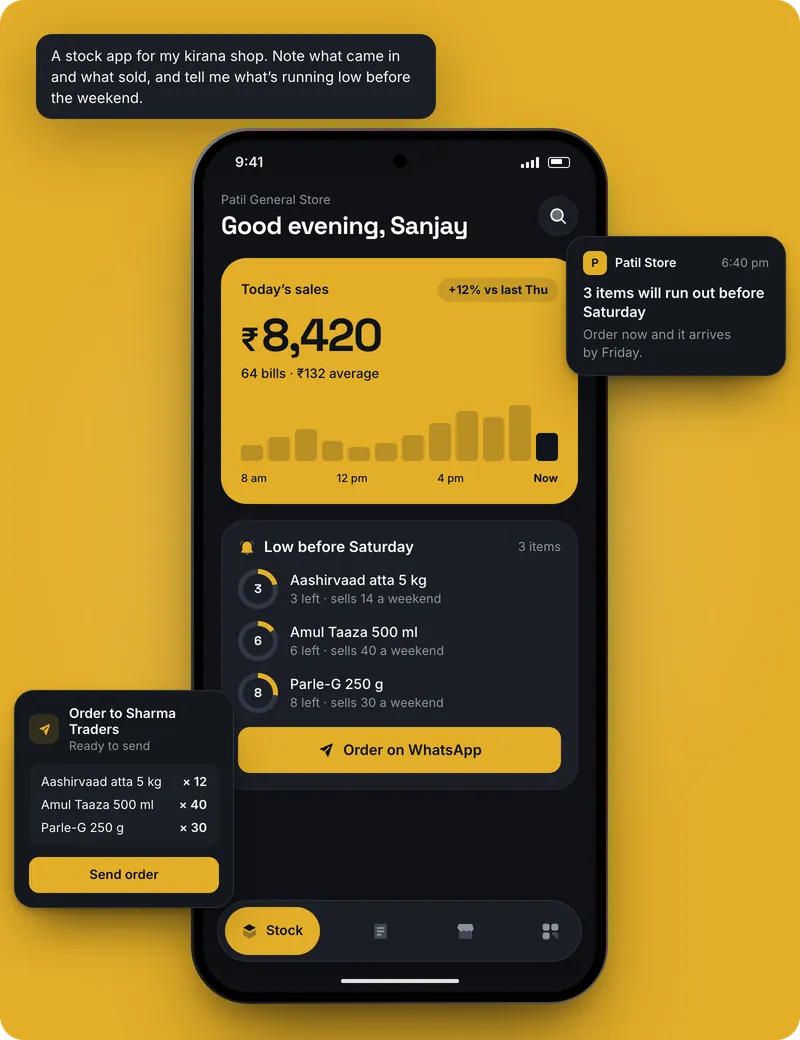
AppCub also has a page about a kirana shop app: see it here.
Tips for a grocery store app
- Start with the 150 to 200 items your customers buy every month; add the rest when someone asks for them.
- Type item names the way customers say them, and ask AppCub to add the Hindi name for search.
- Update prices of oil, dal and sugar when they change, before the evening orders come in.
- Send the app's web link to your regular customers on WhatsApp with a one-line note on how to save a monthly list.
- Pack and deliver a few test orders from family before announcing it widely.
What it costs
- Describing your app and seeing AppCub’s plan for it is free.
- A new app usually takes 60 to 110 credits. Start with the 2-day trial for ₹99 (150 credits, enough for one app and a few changes) or the one-time App Pack for ₹499. Starter is ₹1,599 a month for 700 credits.
- Google Play needs a paid plan (it includes the Play Store bundle and your app’s signing key) and your own Google Play developer account, a one-time US$25 fee to Google.
- Work that fails or is rolled back costs no credits.
Good to know
- AppCub doesn't connect to a billing machine or barcode scanner, and it doesn't build live tracking for delivery riders. Orders arrive on WhatsApp, and you confirm the final bill and delivery time there.
- AppCub builds Android apps. You can also share the app as a web link that opens on any phone; for the iPhone App Store, AppCub’s team can do it for you.
Questions
Can customers repeat last month's grocery order in the app?
Yes. Ask for saved lists, and a customer can open last month's list, change a few quantities and send it again.
How do I change prices in the grocery app?
On the owner screen, open the item and type the new price. Customers see it the next time they open the app, because the items sit in your Supabase database.
Can the app handle loose items sold by weight?
Yes. Ask for weight options such as 250 g, 500 g and 1 kg for loose items, with the price worked out for each.
Can the app show delivery tracking like large grocery apps?
No. Live rider tracking is beyond what AppCub builds. You can send a WhatsApp message when the order leaves the store.
Can customers pay online in the grocery app?
Yes, with a pay button using your own Razorpay account, after connecting Razorpay and Supabase. Many stores keep cash or UPI on delivery because the final bill can change.
Do my customers have to download the app?
No. Share it as a web link that opens in any phone browser, with nothing to install. Google Play is possible with a paid plan.
Read next
- How to make a website for a grocery store
- See the kirana shop app page
- App for a fertiliser and seeds shop
- App for a book store
- App for a boutique
- App for a clothing store
- App for a cosmetics shop
- App for a distributor
- All guides: shops and retail
- All app guides by business
Make your grocery store app
Seeing the plan is free. Building starts with a 2-day trial for ₹99.